The Fire Stick TV Review

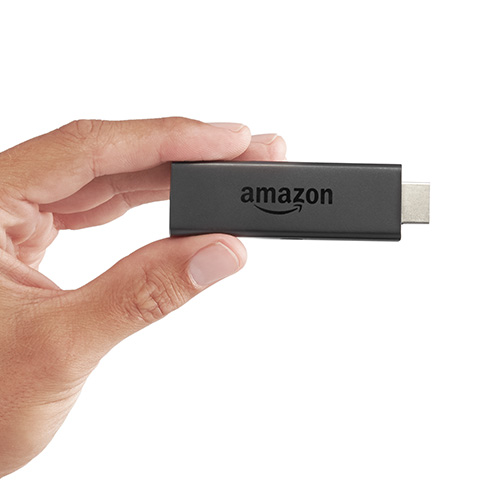
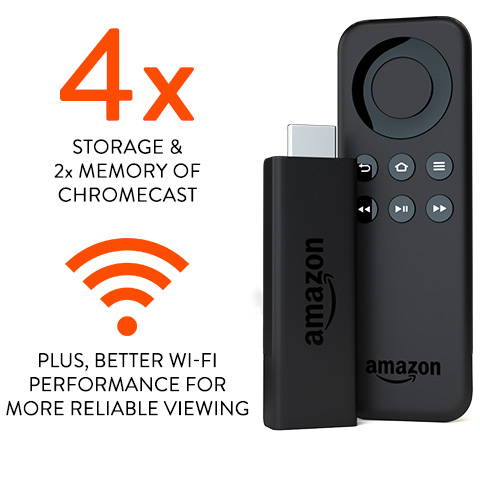
The Fire Stick TV review will provide potential buyers of these devices with information about the product and specifications and details on how it compares with its competition. It has a powerful performance over its competitors with four times the storage and two times the memory over Chromecast, and a 1 GB of memory for storing lots of stuff.
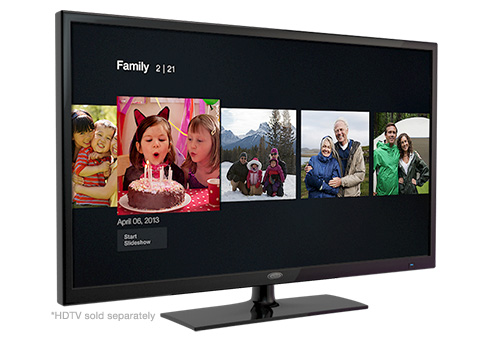
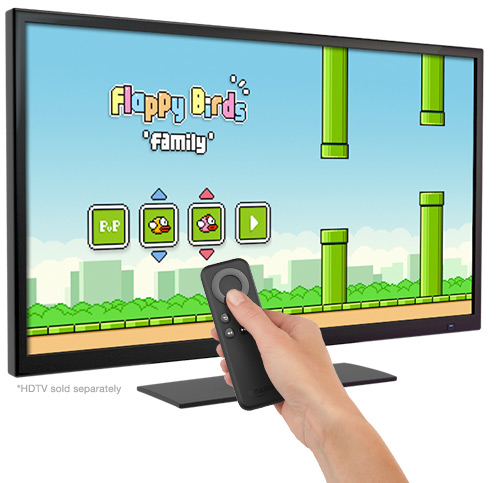
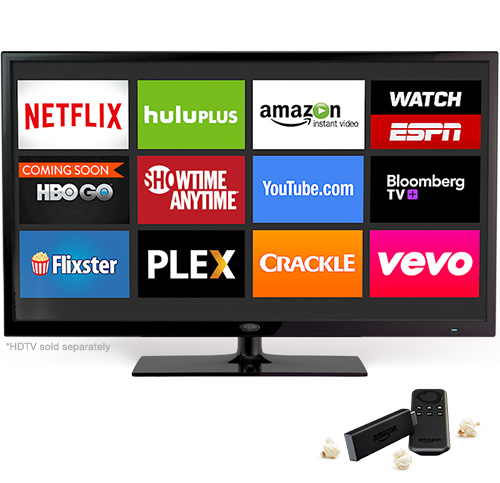
It provides exclusive access to over 200,000 TV episodes and movies, millions of songs and hundreds of games which can be accessed at any time. This allows you to stream these options to your TV besides saving them to the stick. Wow!
Another advantage of this is that it’s portable. You can take this stick with you everywhere and have access to your saved viewing movies, programs, games and more. The cost of this device is very affordable.
When you purchase movies or download videos they get stored in the “Video Library” section of the menu.
The following topics will be covered in this review:
- Fire TV Stick Video
- Fire TV Stick Comparison Chart
- Product Technical Description
- What Others Are Saying About This Product
- Why Should I Consider Buying This Product?
- Conclusion
- Shop Fire TV Stick & Accessories
Fire TV Stick Video
Below is a video of the Fire TV Stick in action. Take a look!
Back to The Fire TV Stick Review topics.
Fire TV Stick Comparison Chart
Just how does the Fire TV Stick compare with others? Below is a comparison chart that shows how the Fire TV Stick compares with Google Chromecast and Roku Streaming Sticks.
| Fire TV Stick Comparison Chart | |||
| Features | Fire | Chromecast | Roku |
| Price | $34.99/$39.99 | $35 | $49 |
| Remote | Included | None | Included |
| Processor | Dual-core | Single-core | Single-core |
| Memory | 1 GB | 512 MB | 512 MB |
| Flash Storage | 8 GB | 2 GB | 256 MB |
| Miracast Certified | Yes | No | No |
| Dolby Digital Plus Certified | Yes | No | No |
| Wi-Fi | Dual-band/Dual atenna (MIMO) | Single-band | Dual-band/Dual atenna (MIMO) |
| Voice Search | Remote app; voice remote sold separately | No | No |
| HDMI Extender | Included | None | Included |
| HDMI Video Out (up to 1080p) | Yes | Yes | Yes |
| Netflix | Yes | Yes | Yes |
| Amazon Instant Video | Yes | No | Yes |
| Hulu Plus | Yes | Yes | Yes |
| YouTube | Yes | Yes | Yes |
| Pandora | Yes | Yes | Yes |
| PBS Kids | Yes | Yes | Yes |
| Watch ESPN | Yes | Yes | Yes |
| Bloomberg TV | Yes | No | Yes |
| Crackle | Yes | Yes | Yes |
| Twitch | Yes | Yes | No |
| HBO GO | No (Coming Spring 2015) | Yes | Yes |
| Showtime Anytime | Yes | Yes | Yes |
| Number of Games | Over 300 | Less than 75 | Less than 100 |
| Optional Dedicated Game Controller | Yes | No | No |
Back to The Fire TV Stick Review topics.
Product Technical Description
Below is the technical description for this product so you can compare with other similar products.
- Size: 3.3” x 1.0” x 0.5” (84.9 x 25.0 x 11.5 mm)
- Weight: 0.9 oz. (25.1g)
- Processor: Broadcom Capri 28155, dual-core 2xRAM A9 up to 1 Ghz
- GPU: VideoCore4
- Storage: 8 GB Internal
- Memory: 1 GB
- Wi-Fi Connectivity: Dual-band, dual-antenna Wi-Fi (MIMO); supports 802.11a/b/g/n Wi-Fi networks.
- Bluetooth: Bluetooth 3.0 with support for the following profiles: HID, HFP, SPP
- Voice Search Support: Yes, requires Fire TV Voice Remote (sold separately) or free Fire TV Remote App (available for download on Fire or Android OS; iOS coming soon)
- Game Controller Support: Yes, optimized for Amazon Fire Game Controller, compatible with Nyko PlayPad Pro and other Bluetooth controllers.
- Cloud Storage: All Amazon Cloud Drive customers start 5 GB of free storage.
- Ports: 1 Type A HDMI 1.4b output, w/HDCP 1.4, 1 Micro USB for power only.
- Audio: Dolby Digital Plus certified, audio pass through up to 7.1.
- Content Supported Formats:
- Video: H.264
- Audio: AAC-LC, AC3, (Dolby Digital Plus), FLAC, MP3, PCM/Wave, Vorbis
- Photo: JPEG, PNG, GIF, BMP
- Output Resolution: 720p and 1080p up to 60fps
- System Requirements: High-definition television with available HDMI input, Internet connection via Wi-Fi, a power outlet.
- TV Compatibility: Compatible with high-definition TVs with HDMI capable of 1080p or 720p at 60/50Hz, including popular HDCP-compatible models from these manufacturers: Hitachi, JVC, LG, Mitsubishi, NEC, Panasonic, Philips, Pioneer, Samsung, Sharp, Sony, Toshiba, Vizio, Westinghouse.
- Warranty: 1-year limited warranty.
- Regional Support: Certain services may not be available outside the U.S.
- Closed Captioning: Watch videos and TV shows with closed captioning displayed. Captions are not available for all content.
- In The Box: Fire TV Stick, Amazon Fire TV Remote, 5′ USB cable and power adapter, HDMI extender cable, 2 AAA batteries, and Quick Start Guide.
Amazon TV Fire Remote Specs
- Size: 4.7” x 1.6” x 0.5”
- Weight: 2 oz. with batteries inserted
- Batteries: 2 AAA (included)
- Bluetooth: Yes
- Buttons: 5-way directional, select, back, home, menu, rewind, play/pause, fast forward
Back to The Fire TV Stick Review topics.
What Are Others Saying About This Product
We just don’t want you to take our word for it, but you can read some of them below. If you want to read all 10,953 the good and bad reviews by, Clicking Here!

This product was purchased by over 10,950 customers who gave this product an average score of 4.1 out of 5 stars which is very good.
By D. R. Brigance, January 6, 2015 – Smart TV For Dummies
I am 45 and not tech savvy, I have never used Roku or Chrome..whatever so I can’t say how they compare. I ordered this with skepticism. Figuring out how to work electronic devices is not my thing. In ONE day I declared myself at expert at navigating the Fire TV Stick AND I downloaded the app on my Galaxy S3 (I know, old phone) and have used that as well to navigate my Fire TV Stick. I have an older 36″ Symphonic TV and was using a Wii to use Netflix. THIS. IS. SO. MUCH. BETTER! It is ONLY $39. Actually I like it better than using our actual ‘smart’ TV that is not so easy to navigate. I should mention I am a prime member so when I plugged this in to the TV all my saved shows and cloud pics are already on there. I use Netflix and it was already on there and I just had to sign in just like I would on any other device. NOW, I do have to unplug the stick and plug in our DirectTV Genie to watch satellite because I just have the one plug in thing but not a big deal for me. IF you wanted to have both plugged in you would have to buy an extra gadget. Yeah, I don’t know the names for all those things but you know what I mean.
By BG, January 6, 2015 – The Fire TV Stick’s Entry Level Specs Deliver Beyond Expectation
I am very happy with the Fire TV Stick. I had previously purchased a Fire TV and loved it. When the Fire TV Stick went up for sale I decided to pick one up for my father on the off chance he might be interested in what it could do. I’m happy to report that he loves it. It may have been the perfect purchase for him since he is retired and has a lot more time on his hands lately. The device itself is not much different from the Fire TV except for the obvious hardware and software limitations. I was expecting the Fire TV Stick to perform much slower and to be much more limited than it is. After a few weeks of using it and comparing it to it’s more expensive sibling I can definitely say I am impressed. I’d definitely recommend this to anyone curious about online streaming. My father is now considering cancelling his cable service completely and just using his Fire TV Stick.
By Anthony Guiliano, January 6, 2015 – A New Way To Enjoy Your TV
At first glance I was a bit skeptical about this item. However, after easily setting it up and starting my free 30 day trial, I was hooked on the tremendous selection of movies and TV series. This was only a small part of want I could do with this system. I love having access to games, Apps, music, and even storing my pictures. Kudos to the inventors and designers of this incredible product. I look forward to any additional items to the Fire TV Stick from Amazon.
By Heather Key, January 6, 2015 – Way Better Than Chromecast
I love this! Once you get through the initial set up everything about using the Fire Stick is fast and easy. We started with a Chromecast…..did not meet expectations. This is by far a better product for the money. My family has spent hours watching movies, tv shows and playing games. Thanks Amazon for a great product!
By Amazon Customer, January 6, 2015 – After Our First Use We Fell In Love With It
I bought the Amazon Fire stick for my husband as a Christmas gift. I was unsure of its total capabilities when purchasing but thought it may be something not only my husband would get use out of but my 4 children as well. After our first use we fell in love with it. I would recommend it to anyone. Especially with a prime membership!
Back to The Fire TV Stick Review topics.
Why Should I Consider Buying This Product?
Below are some good reasons to consider in buying this product.
- You want to lower your cable bill or eliminate it altogether
- You like to save streamed movies and TV programs that only you like
- You like the idea that the stick is portable and can take it with you even when on a trip or on vacation
- You can play games using this device with others you could not
- It has more storage space than its competitors
- I am a Amazon Prime member user
Back to The Fire TV Stick Review topics.
Conclusion
This device is very competitive with its competition and in some areas even better. It has more space available for saving movies, TV programs, songs, games and pictures. By being small, it fits into your pocket or purse with ease and is ready to be used at any time.
Back to The Fire TV Stick Review topics.
Shop Fire TV Stick & Accessories
You can purchase the Fire TV Stick by clicking on the image below. We have also included the voice remote for those of you that want to add this item, as this is a separate accessory that does not come with the unit.
  Fire TV Stick |
  Voice remote for Amazon Fire TV and Fire TV Stick |
Back to The Fire TV Stick Review topics.
Go back to the The Kindle Fire home page.