
Electronic Device Solutions Made Easy
There may be times when you have accidentally dropped your device in water or it gets wet during a rainstorm or other type of water mishap. Your child may accidently drop it into the toilet. Everything is not totally lost and by following this tip, you just might save your device from the garbage heap.
Warning: Please be aware that I do my best to share safe Kindle Fire resources with you, but I cannot be held responsible or liable for any issues you (or your device) may experience by following the tips, tricks, and tutorials on this website.
If your device was dropped in water do the following:
First, you will need the following items:
- A gallon sized storage bag
- 4-6 six cups of dry (uncooked) rice (white or brown)
- Microfiber cloth
- Measuring cup (optional)
Second, follow these steps:
- If the tablet was ON when it went into the water, TURN IT OFF. If it was off when it got wet, DO NOT TURN IT ON at any time during these steps. This is very important.
- Wipe off all water with the microfiber cloth.
- If your Kindle device had a case, remove it from its cover and wipe down all around the edges, corners, ports, buttons, speakers, openings etc. Get all the water you can.
- Open the gallon storage bag and add 4 to 6 cups of uncooked (raw) rice. It must be enough to cover the entire device. If you need to add more than do so. Note: The reason for using rice is that it absorbs moisture so that it will soak up all the water in the Kindle device.
- Stick your wet Kindle into the bag of rice, and press out all of the air and close the bag. The least amount of air left in the bag the better.
- Let the device sit for a minimum of 24 hours. If your Kindle really got soaked, leave it in the bag for 48-72 hours.
- After the time has passed, open the bag, remove the Kindle device and wipe off the rice dust using the microfiber cloth.
- Now the moment of truth! Turn on your Kindle Fire.
- If it boots up and turns on now you know the fix worked. You’ll need to unlock and use your Kindle Fire to confirm that it’s working properly. If so, great!
- If it does not turn on, put your Kindle Fire back into the bag of rice and wait for another 48+ hours before testing again.
- If it works, great, you saved your device.
- If not, you must contact Amazon Support for their suggestions.
- This rice fix will work on all types of electronic devices. Try it before putting it in the garbage and buying another device.
- Throw out the rice in the bag. Do not use it for cooking or for food as the rice may start to mold.
Steps in Pictures:
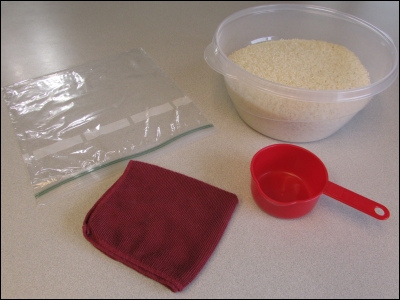 Step 1: Items Required |
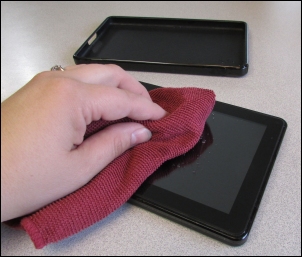 Step 2: Wipe Off Excess Water |
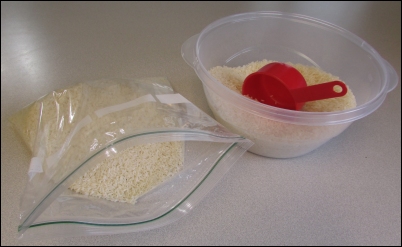 step 3: Add Rice Into Bag |
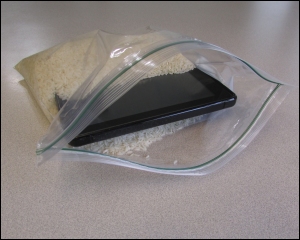 Step 4: Place Kindle In Bag |
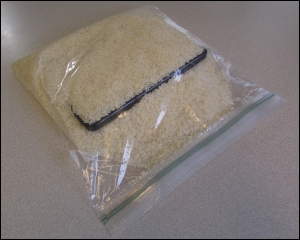 Step 5: Let It Sit |
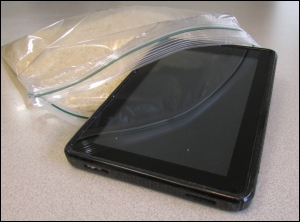 Step 6: Take It Out |
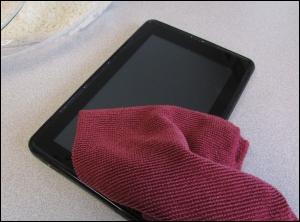 Step 7: Wipe Off Rice Dust |
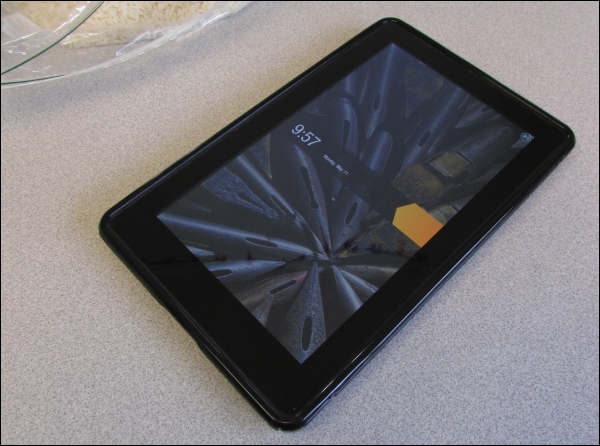 Step 8: Success |
Kindle Device Dropped Into Salt Water
If Kindle Fire was dropped into salt water (sea or ocean) then do the following:
- Drop the device into a bucket of FRESH water.
- When you think you rinsed out all of the salt, dry it out slowly by following steps 2-5 above.
- Place the device into the rice mixture and let it sit for 96 hours or 4 days.
- Follow step 8 above.
- Throw out the rice if successful.
Conclusion
I think that you will agree that if this fix works for you, you have saved lots of money to replace your device. I cannot guarantee that this fix will work on all types of water situations. However, I would try this first before contacting Amazon Support. If your device is still under warranty, you can decide if you want a replacement or try using this fix. If it’s out of warranty, then trying this fix just may be the one you were looking for.